

Build Your Supplement Stack with SuppTrack
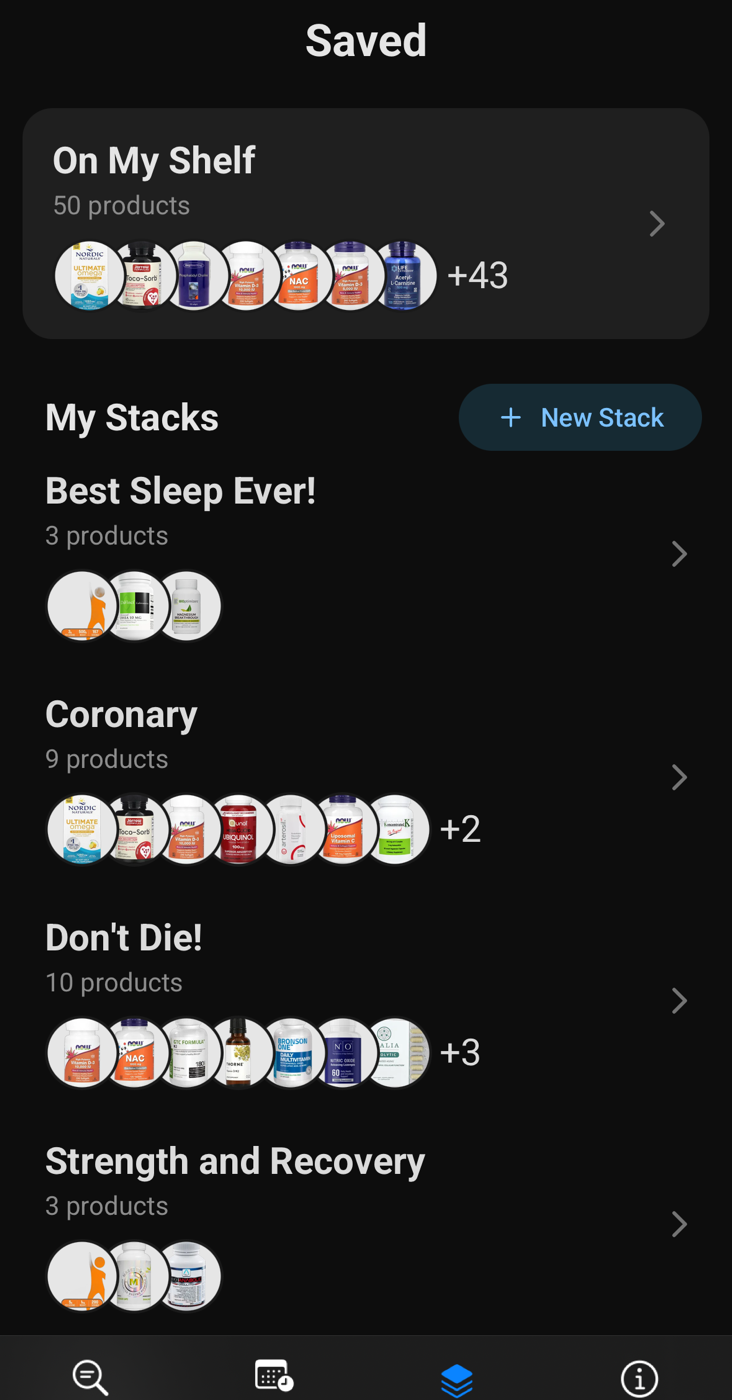
Use SuppTrack as a supplement stack builder to group the products you already own into stacks for sleep, training, recovery, or daily wellness.
Each supplement stack reports its own combined vitamin and mineral totals against %DV, so you can see what one goal is actually delivering instead of reading your whole day at once.
What a supplement stack gives you
Group by goal
Keep sleep, training or general wellness products in their own group instead of one long list.
Totals for that stack alone
Aggregate amounts and %DV for just the products inside it, rather than your whole day blended together.
Products can sit in several stacks
The same magnesium can belong to a sleep stack and a daily baseline at the same time.
Organize by goal, not by guesswork
Download SuppTrack to group your supplements by goal and review each stack's combined totals.
Group products by sleep, focus, recovery, or any other goal, then spot overlap before it becomes routine clutter.


Currently available in the USA only. Outside the USA? Join our mailing list for regional launch updates.
Jump to: Stacks vs your shelf • How to build one • What the totals show • FAQs
A supplement stack is a goal. Your shelf is everything you own.
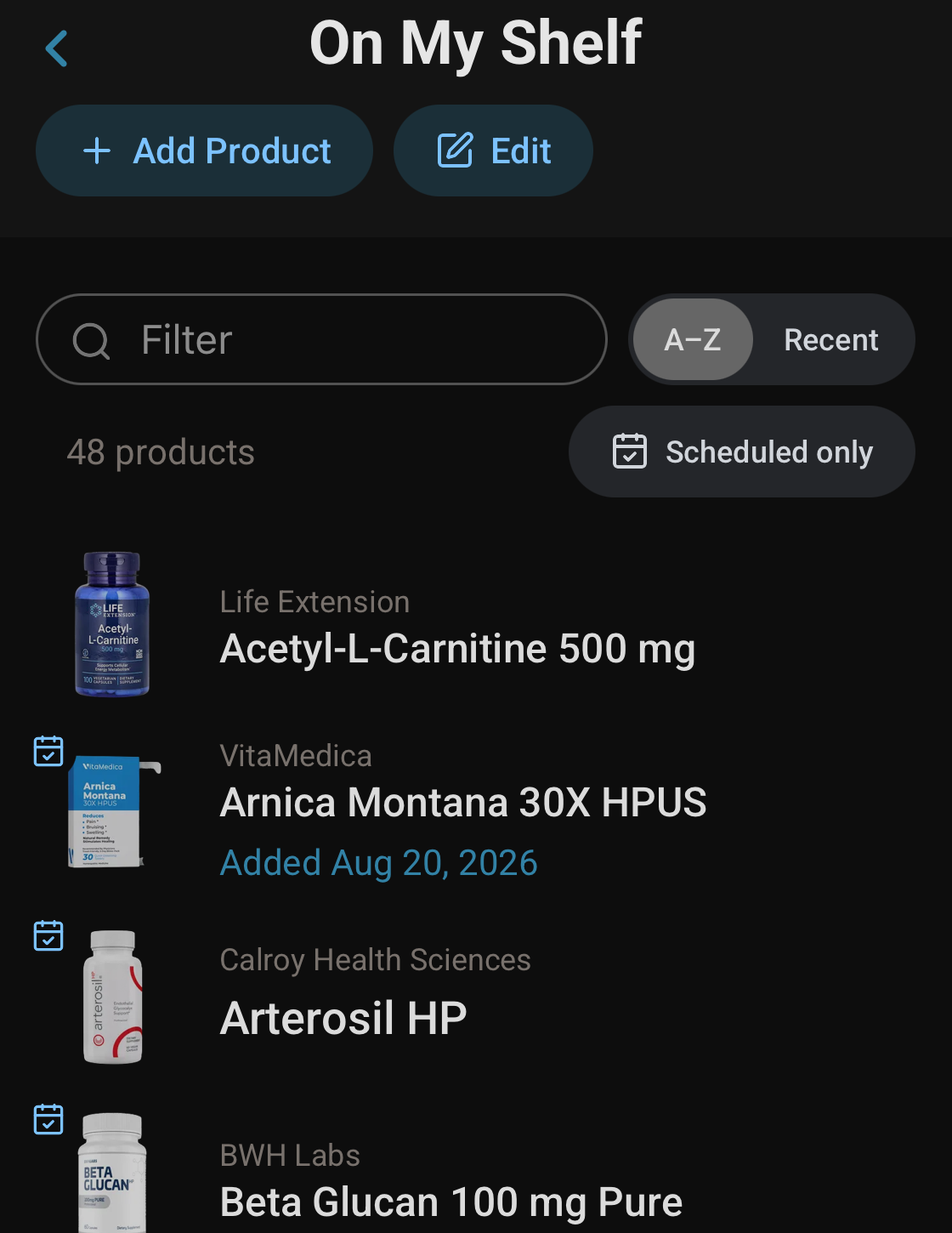
Those are two different things in SuppTrack, and the difference matters once a routine gets past a handful of products. Your supplement shelf holds every product you own, including the ones you have stopped taking. A supplement stack is a smaller group pulled together around one goal: sleep, training, general wellness, whatever you are actually trying to do.
A product can sit in more than one stack at the same time. Magnesium can belong to both your sleep stack and your daily baseline without being entered twice, and each stack reports its own totals.
How to build a supplement stack worth having
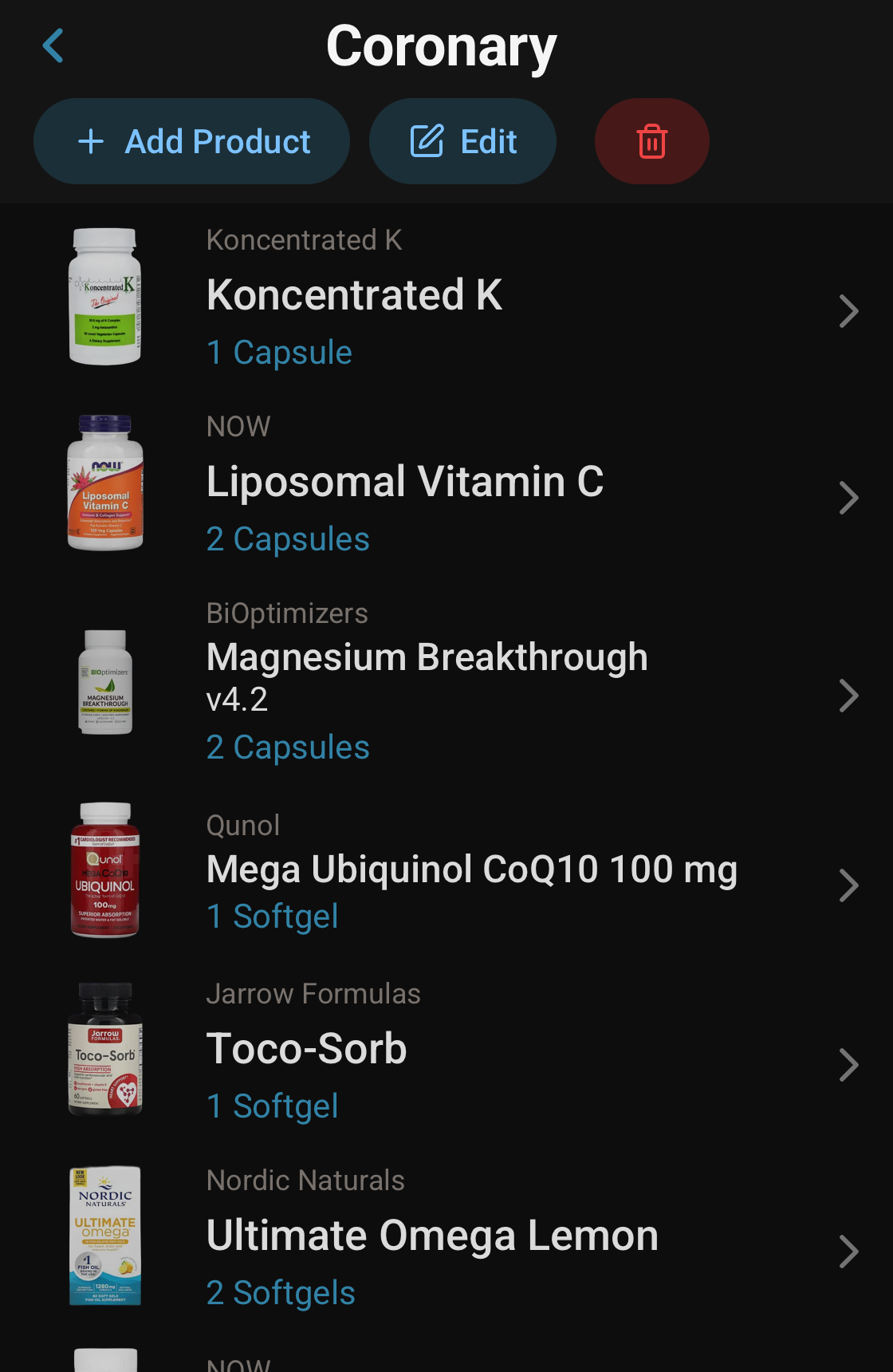
There are no template stacks in SuppTrack, and that is deliberate. A packaged sleep stack has no way of knowing what is already in your multivitamin. Building it from what you own is the only version that reflects your actual intake. A method that works:
- Start from your shelf, not from a search. Work with the products you already have before adding anything new.
- Give each stack one goal. A stack that is trying to do three jobs will not tell you anything useful when you read its totals.
- Include the quiet contributors. Multivitamins, greens powders and combination formulas belong in the stack if they contribute to its goal, even when they are not marketed for it.
- Read the aggregate totals before you add more. This is the step that catches a stack delivering three times what you assumed.
- Watch anything sitting in two stacks. A product in multiple groups is the most common source of a total that looks wrong.
What the stack totals show
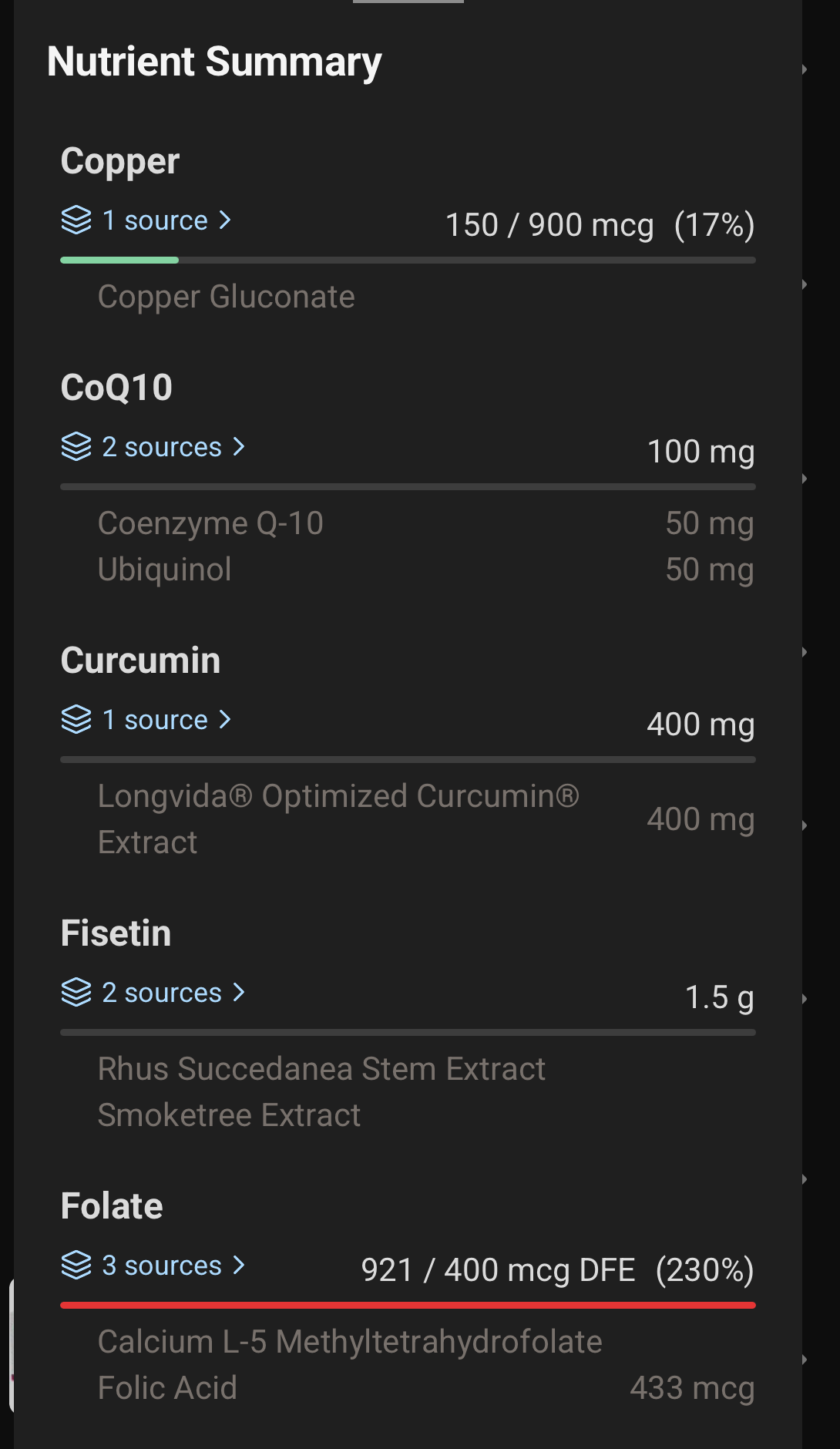
Each stack aggregates the products inside it the same way the daily view does: a combined amount for every nutrient, the percentage of the Daily Value where one exists, and the declared ingredient forms behind the number. A bar under each nutrient reads green while the total sits within range and red once it runs past the Daily Value, so an overage is visible without reading every figure.
The reason to look at a stack rather than the whole day is isolation. Your daily total blends everything you take into one figure. A stack total answers a narrower and more useful question: what is my sleep routine on its own actually delivering? For how the underlying normalization works, see vitamin and mineral totals.
Schedules attach to products, not to stacks
A stack organizes and measures; it does not carry its own timing. That follows from products being able to sit in several stacks at once. The same magnesium in your sleep stack and your daily baseline is still one capsule taken once, so the schedule belongs on the product rather than on the group. Set timing in supplement schedules and reminders, and the stack keeps showing what the combination adds up to.
FAQs
Can a product be in more than one stack?
Yes. The same product can sit in several stacks at once, so a magnesium can belong to both a sleep stack and a daily baseline without being entered twice. Each stack shows its own aggregate totals.
How do totals handle serving sizes?
Totals are calculated from the serving you actually take, so a product dosed at two gummies counts differently from one dosed at a single capsule. Change the serving and the stack totals update with it.
Can I attach reminders to a stack?
Schedules and reminders attach to individual products rather than to a stack. Because the same product can appear in more than one stack, timing belongs on the product so it is only scheduled once.
Can I build my own supplement stack in SuppTrack?
Yes. Build your own supplement stack by grouping products around a goal, then review the combined totals and adjust as your routine changes.
Is SuppTrack a supplement stack builder or a store bundle?
SuppTrack is a supplement stack builder for organizing products you already own. There are no prebuilt or template stacks to buy, because a packaged stack cannot know what is already in your multivitamin.
Related features: Supplement Search • Vitamin Tracker • Supplement Reminders
Give each goal its own group
Install SuppTrack and turn a shelf of scattered supplements into stacks you can actually read.
Group the products you own by goal, read what each stack adds up to, and set the timing on the products inside it.
Currently available in the USA only. Outside the USA? Join our mailing list for regional launch updates.