

Supplement Search Across 192,000+ Products
Use SuppTrack as a supplement search app to look up 192,000+ supplements by product name or brand. Open any result for its full ingredient list, declared forms and serving size, then add that exact version to your routine.
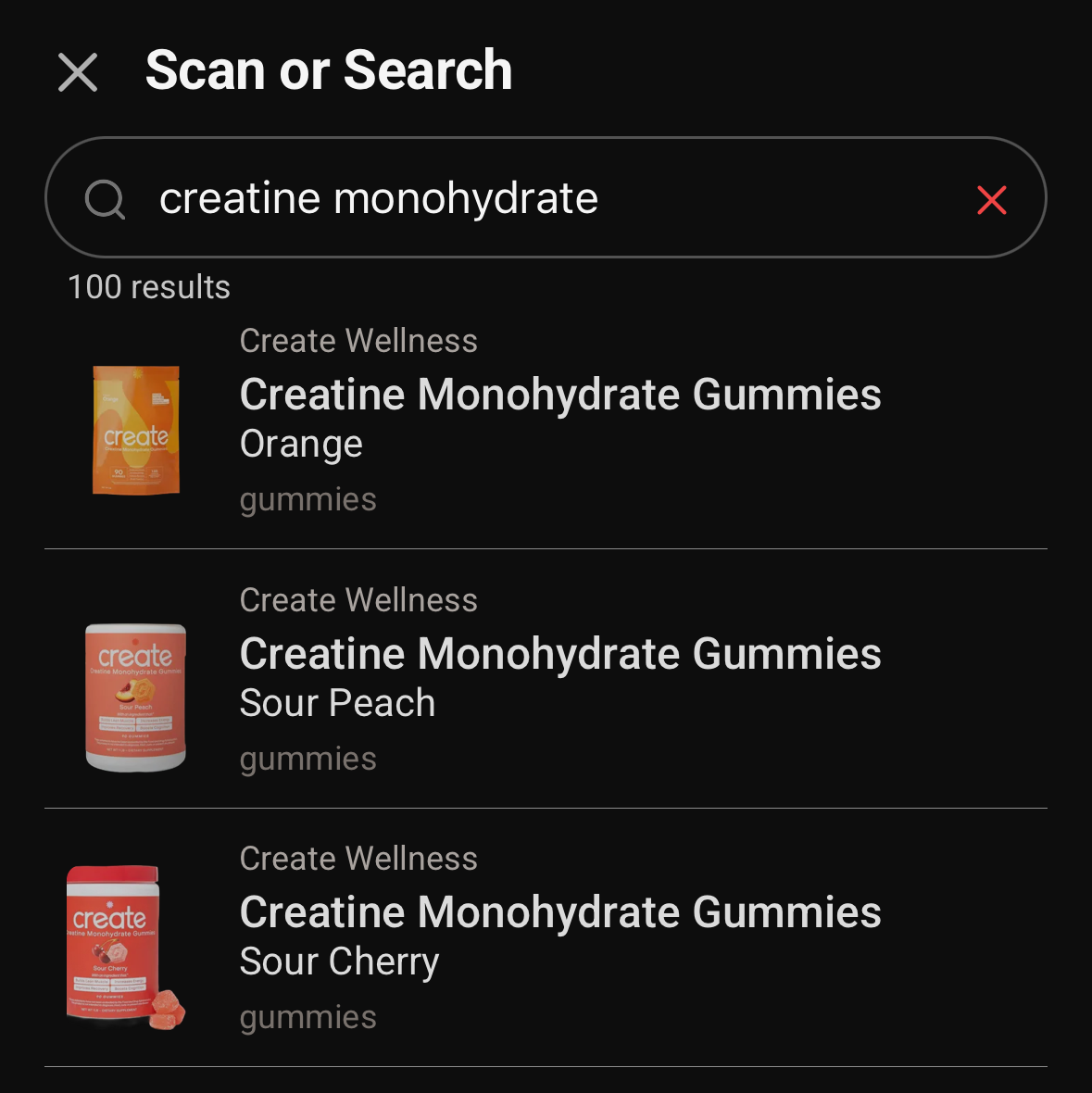
What a search gives you
Search by product or brand
Type what is on the label. Results come back across 192,000+ products from 6,800+ brands.
Every version listed separately
Flavor, size and form each get their own entry, so you can pick the one you actually own.
Straight into your routine
Open a result to see forms and amounts, then add it to your shelf, a stack or a schedule.
Search before you buy or add
Download SuppTrack and search 192,000+ supplements by product or brand.
Open any result to see its ingredient forms, amounts and serving size, then add it to your shelf, a stack or a schedule.


Currently available in the USA only. Outside the USA? Join our mailing list for regional launch updates.
Jump to: What a record contains • Why results repeat • Searching ingredients • Comparing products • FAQs
What a product record actually contains
Most supplement lookups return an ingredient, not a product. Searching magnesium elsewhere gives you an encyclopedia entry. Here it returns the specific bottles on the shelf, each with the detail you need to tell two similar products apart:
- The declared form of every active. Magnesium glycinate and magnesium oxide are stored as different things, not merged into one magnesium row.
- Per-serving amounts and the serving size they assume. A 500 mg claim means little until you know whether the serving is one capsule or three.
- The specific variant. Size, count and flavor are matched separately, because a 60-count and a 180-count of the same product are different listings with different labels.
- Proprietary blends as declared. Recorded the way the label states them, with amounts shown only where the manufacturer actually discloses them.
That is what makes the totals on your daily nutrient view arithmetic rather than approximation. Entries come from package labels, manufacturer sites and official retailers, and go through automated checks and manual review before they publish. If one looks wrong, submit a correction from the product screen and it joins the same review queue. The full process is on our methodology page.
Why one product can fill a page of results
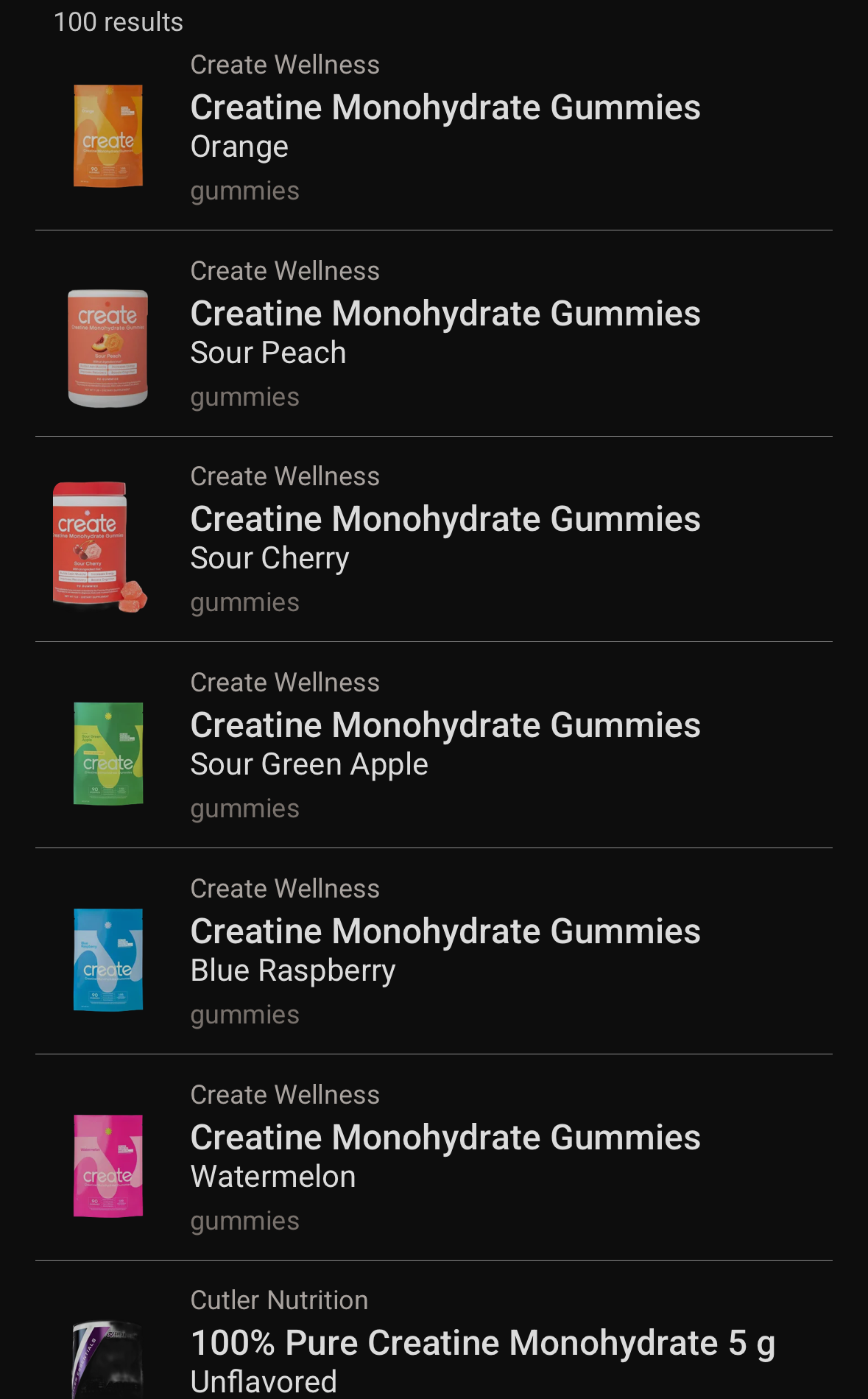
Search for a creatine gummy and the first six results are the same product in six flavors. That is deliberate. Each flavor, size and format is its own entry, because each one has its own label, its own serving size and its own barcode.
Every row shows the brand, the product name, the flavor and the form it comes in, so you can pick the version sitting in your cupboard rather than something close to it. That precision is what makes your daily totals arithmetic rather than an estimate.
Searching by ingredient name
Type creatine monohydrate and you get a hundred products, because supplements are usually named after the ingredient they are built around. The same is true of magnesium glycinate, ashwagandha or vitamin D3. Search the ingredient the way it appears on a label and the products built on it come back.
Looking at two products side by side
Open each one from your results and read its ingredient list, declared forms and serving size. Because every entry is variant-level, you are comparing the 90-count gummy against the 60-count powder rather than two rough approximations of a brand.
When you want them measured together instead of read one after the other, add both to a stack. The stack totals everything inside it and shows each nutrient against %DV, so two magnesium products become one number with the forms behind it. Your nutrient summary does the same across your whole routine, sorted and filtered by ingredient.
FAQs
Can I search by ingredient?
Yes, when the ingredient is in the product name, which covers most single-ingredient supplements. Searching creatine monohydrate or magnesium glycinate brings back the products built on them. To see an ingredient across everything you take, including the multivitamins that quietly contain it, use the nutrient summary in your routine.
What if I can't find a product?
Report it from inside the app with the barcode, brand and product name, then add it to your shelf, a stack or your schedule right away. Once we add it to the database, the entry in your app fills in automatically.
How do I narrow down the results?
Add more of what is on the label. Including the brand name, the flavor or the format alongside the product name is the quickest way to get from a long list to the exact bottle you own.
Are products verified?
Entries come from package labels, manufacturer sites and official retailers, then go through automated checks on completeness and units before a person reviews the ingredient forms and the variant match. Coverage is updated continuously. You can submit a correction from the product screen in the app, and it joins the same review queue.
Can I add a product straight from search?
Yes. Open a result and add it to your shelf, a stack or a schedule without leaving the screen.
Related features: Supplement Reports App & PDF Export • Stack Builder • Barcode Scanner • Vitamin Tracker
Find the exact product
Install SuppTrack and find the exact bottle you own.
Open any result to check its ingredient forms and serving size, then add that exact version to your routine.
Currently available in the USA only. Outside the USA? Join our mailing list for regional launch updates.